Sales game
Bonus cash: on!
$20
Turn a deal in now
Broadcast mode
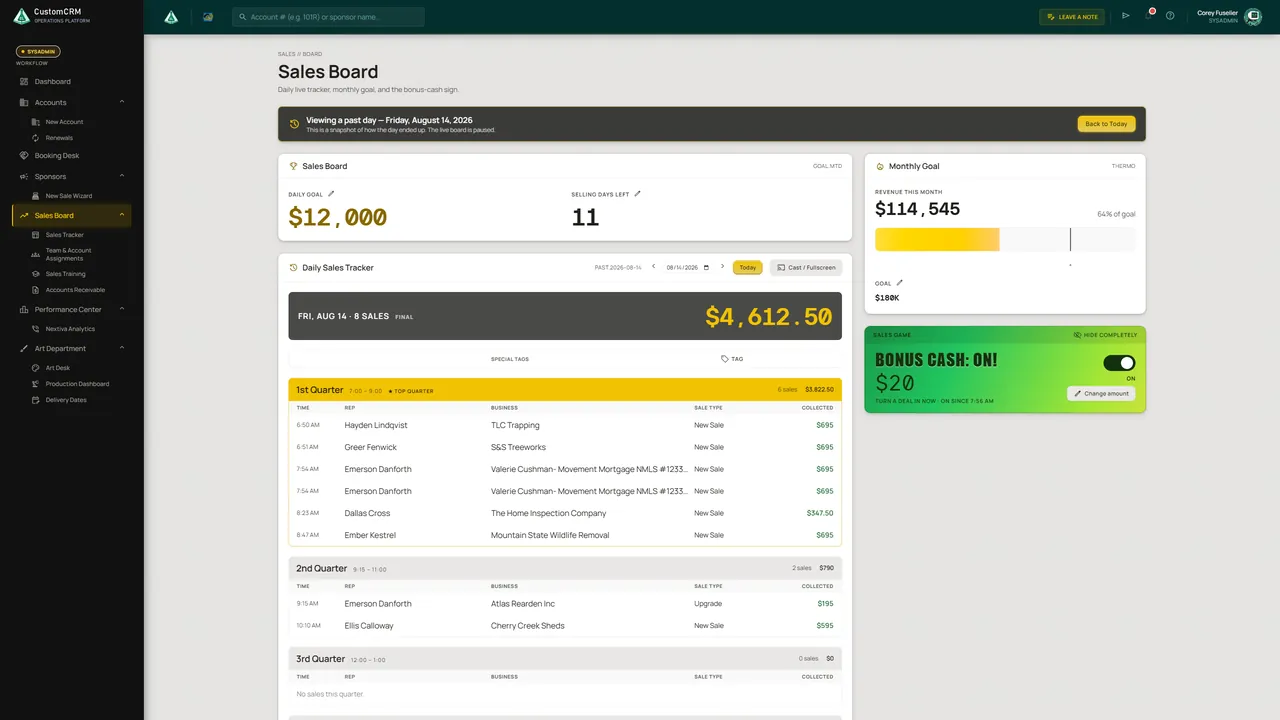
The Sales Board runs on the TV above the sales floor. When the bonus-cash sign lights up, every deal turned in earns extra.
 Book a call Current Clients: Log In
Case study · Operations & Workflow Platform · Internal System
CustomCRM orchestrates end-to-end business operations across every department in one unified platform. The system tracks every account from the initial sale and deal structuring (calculating revenue, commissions, and rep performance) through creative proofing, multi-stage production fulfillment, accounts receivable reconciliation, and automated renewal cycles. Every team works together in a single source of truth.
The route
Every account makes the same coordinated trip through the organization. It gets booked, configured with sold deliverables, proofed and approved by creative, staged through production fulfillment, completed, and queued for renewal. Each stop below is a desk in the company, and every desk works in one system.
Chapter 01 · Access + dashboard
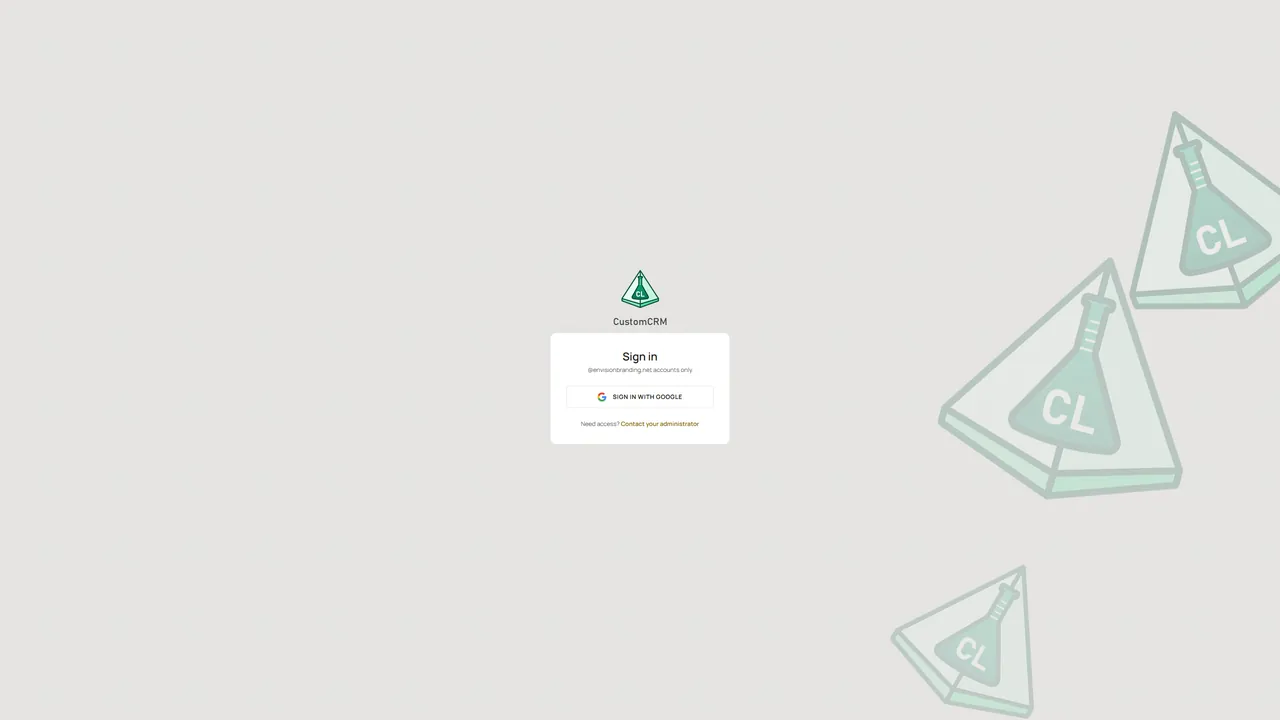
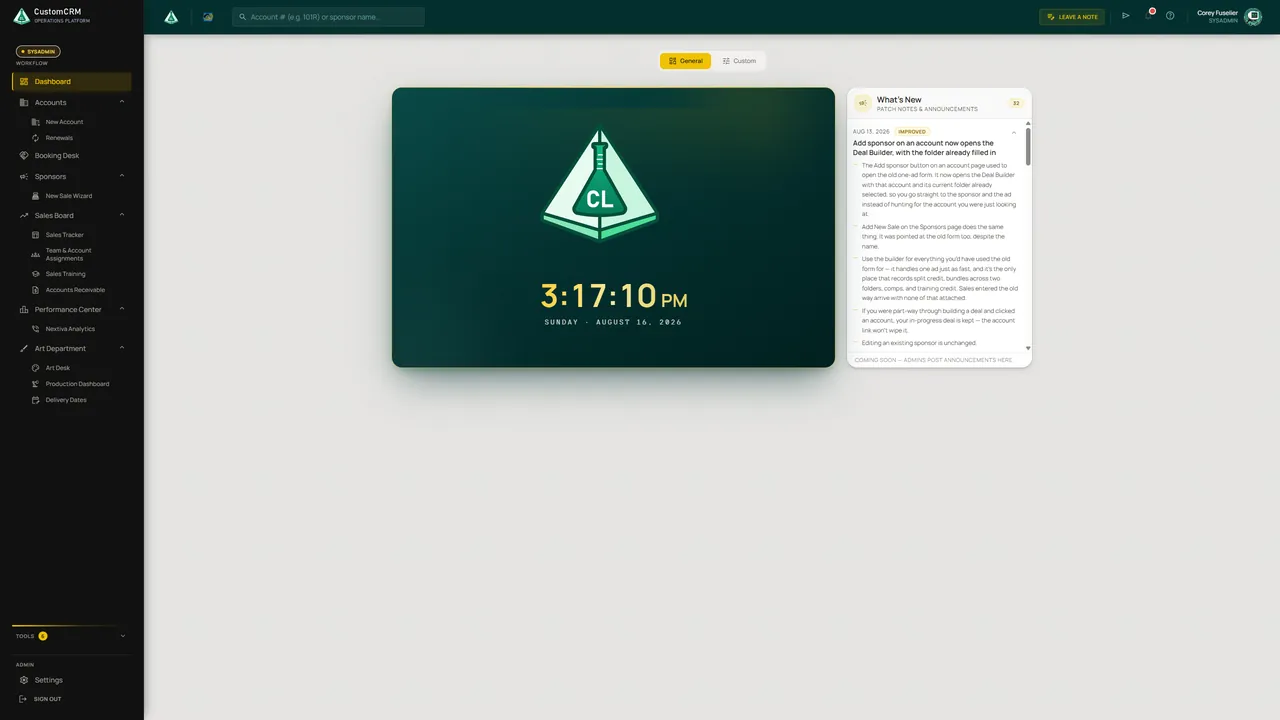
Sign-in is Google SSO, locked to authorized company domain accounts. Past the gate, the dashboard opens on a live clock and a What's New feed of patch notes, and anyone can build a custom tab from the cards they actually use.
Chapter 02 · 1,345 client accounts
Each account card carries a dynamic sales clock, and working-set filters cut the list to what's active, what's approaching cutoff, and what's already in fulfillment. Open one and the entire account status is on one screen: capacity fullness, asset approval progress, total revenue booked, and how many days remain before the production deadline.
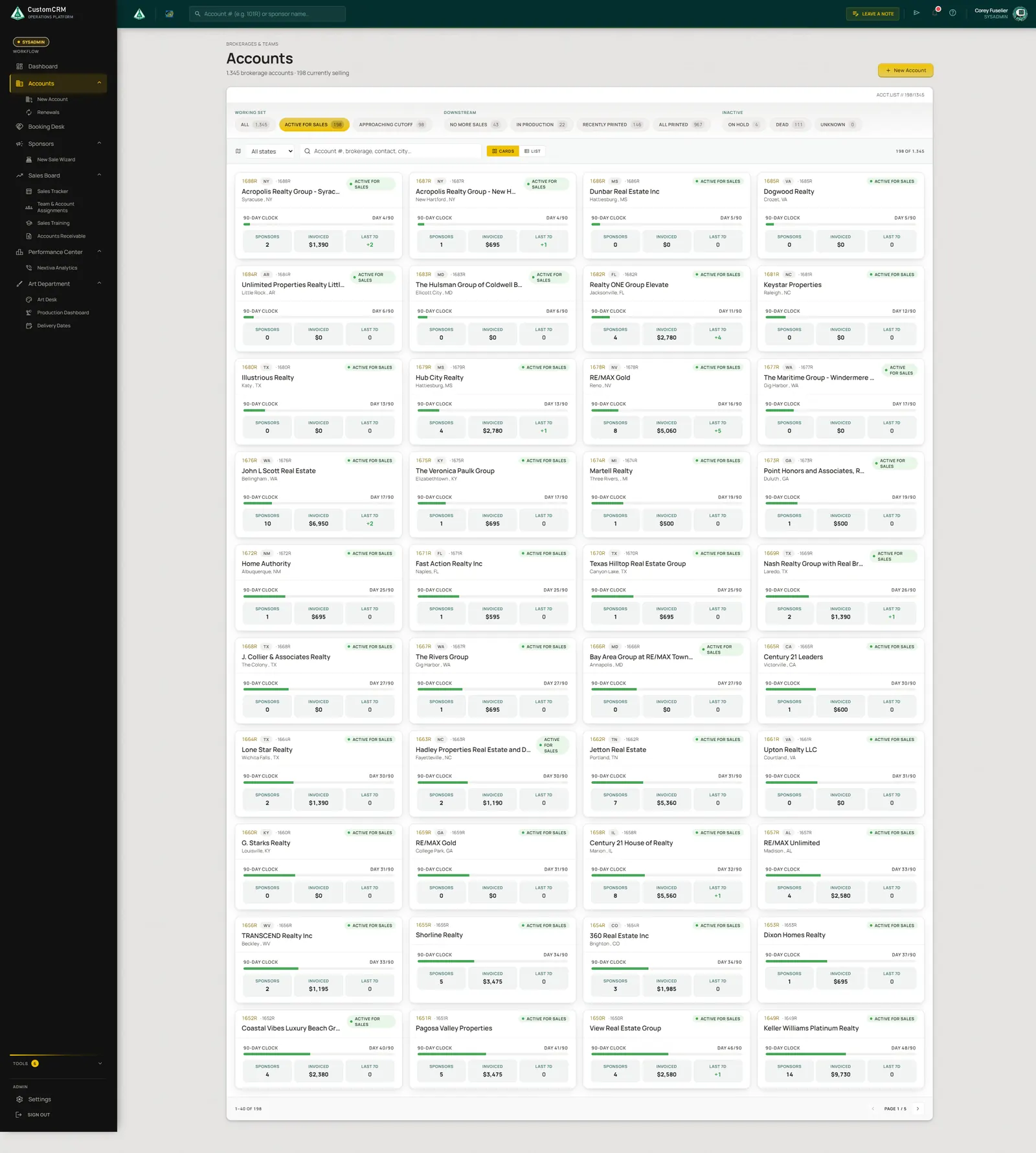 Working-set filters Active sales cycle clock on every card Accounts, invoiced, and last-7-day sales
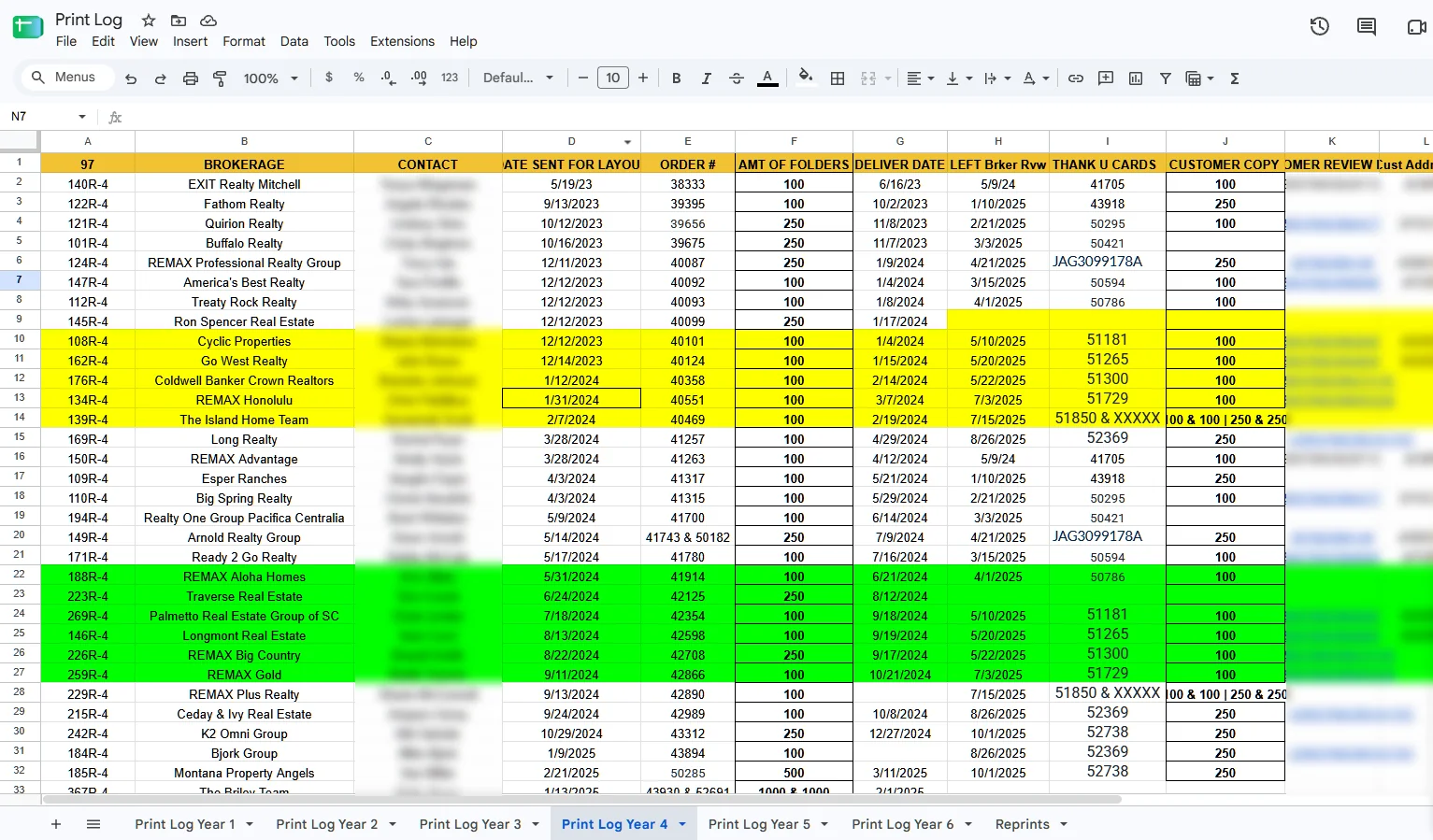
Click the glowing circles to zoom! Scroll over the screen to explore it
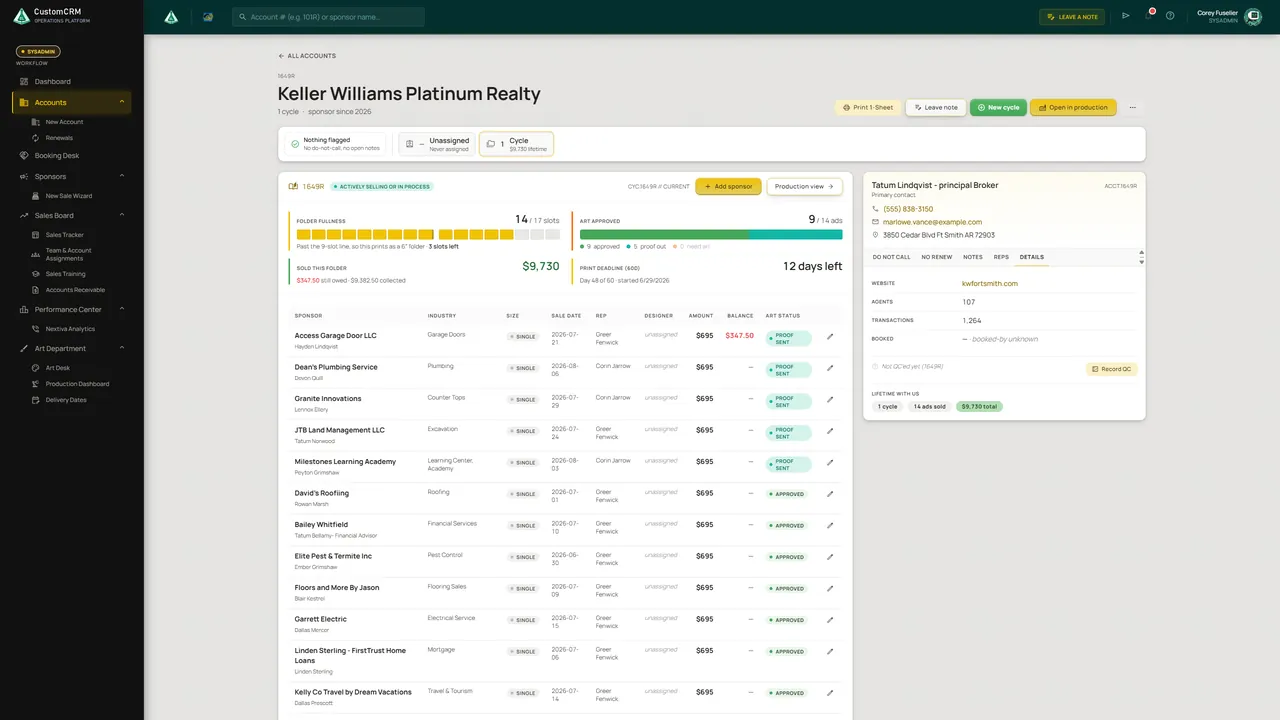
Click the glowing circles to zoom!
Account detail. Move across the screen to inspect it, or tap a hotspot.
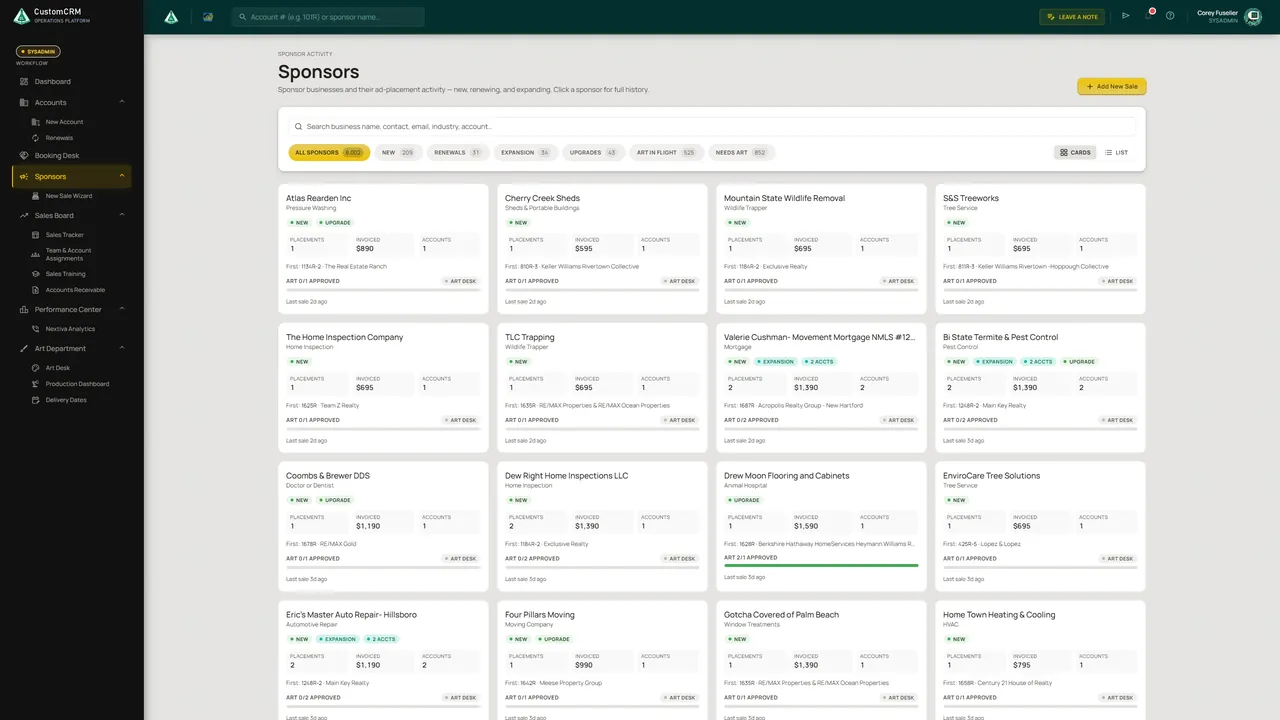
Chapter 03 · 8,002 commercial accounts
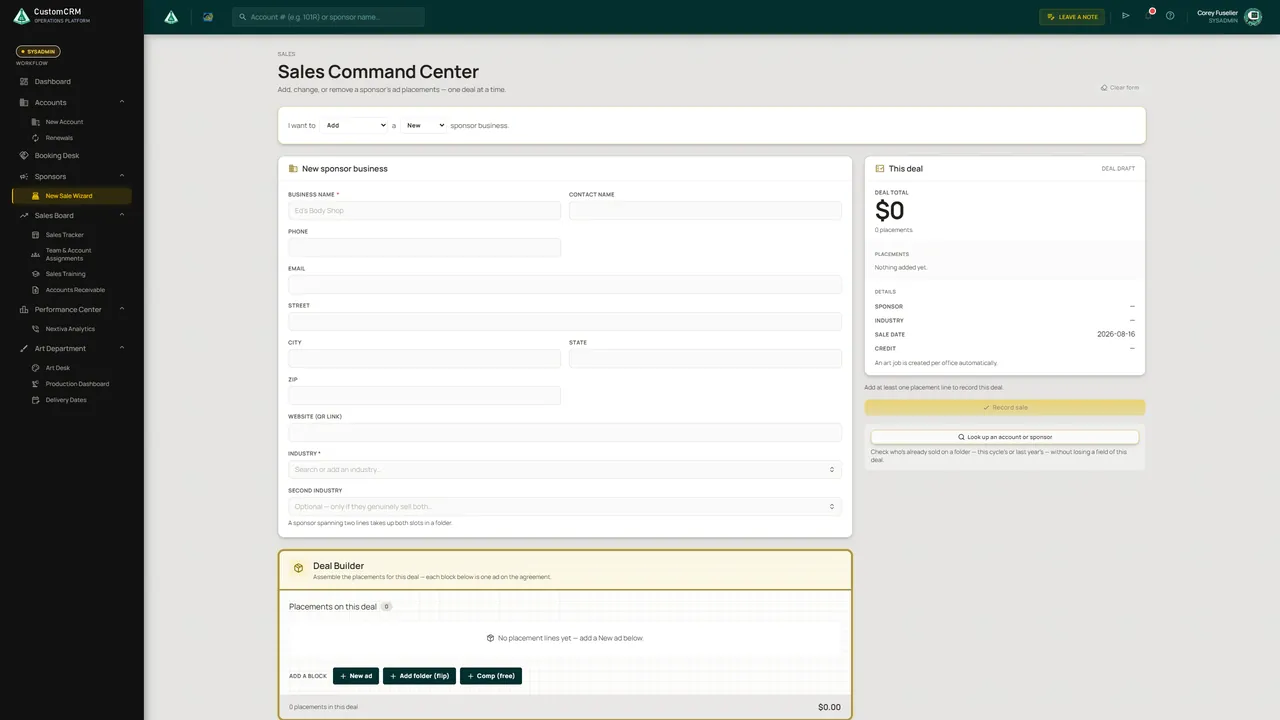
Thousands of partner businesses, segmented by real-time account status: new, renewing, expanding, upgrading, or pending review. When a rep closes, the Deal Builder records it in one pass, whether it's a standard order, a commission split, a multi-account bundle, a complimentary placement, or a training-credit deal.
Chapter 04 · Sales + performance
The Sales Board is built for the TV on the sales-floor wall: today's goal, a quarter-by-quarter live tracker, a monthly thermometer, and a bonus-cash sign that flips on when the floor is hot. Behind the broadcast sits a surgical ledger of every revenue event.
Bonus cash: on!
$20
Turn a deal in now
The Sales Board runs on the TV above the sales floor. When the bonus-cash sign lights up, every deal turned in earns extra.
Daily goal, live quarter tracker, monthly thermometer, and the bonus-cash sign, sized for the office TV.
Sales, half-downs, installments, comps, refunds, and voids: every revenue event in one filterable sheet.
Mon–Fri weekly and calendar-month views of every rep, with bonus tiers calculated automatically.
Dials, talk time, and inbound calls from the phone system, folded into rep performance.
Assign accounts to reps and agents, and track ownership across the full roster.
Filter the client and account base into targeted segments and export straight to CSV.
Chapter 05 · Receivables + reconciliation
Accounts Receivable lists every open balance (overdue, due this week, due this month) with a payment action on each row. And when a number looks wrong, Money Reconciliation explains it: cached totals are checked against the payments ledger, and one safe re-derive rebuilds the figure. Nobody types over a total by hand.
Integrity check
Paid over total · mismatch
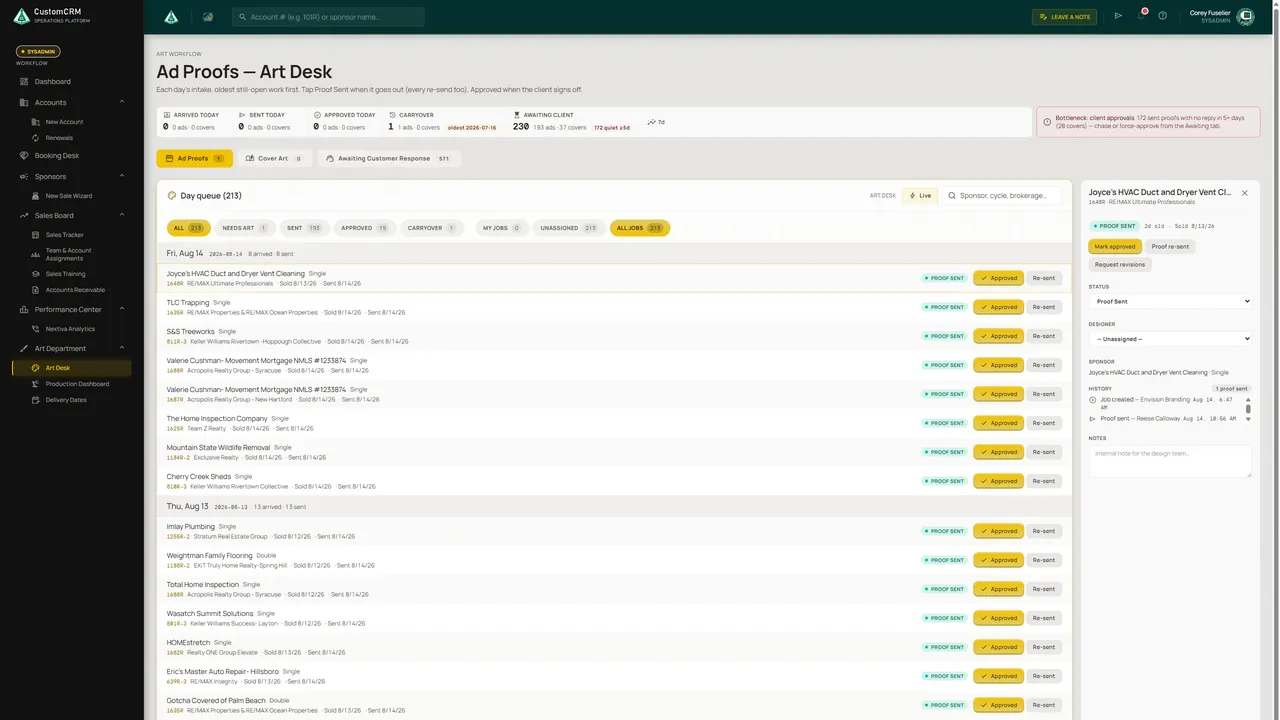
Chapter 06 · 213 jobs in review queue
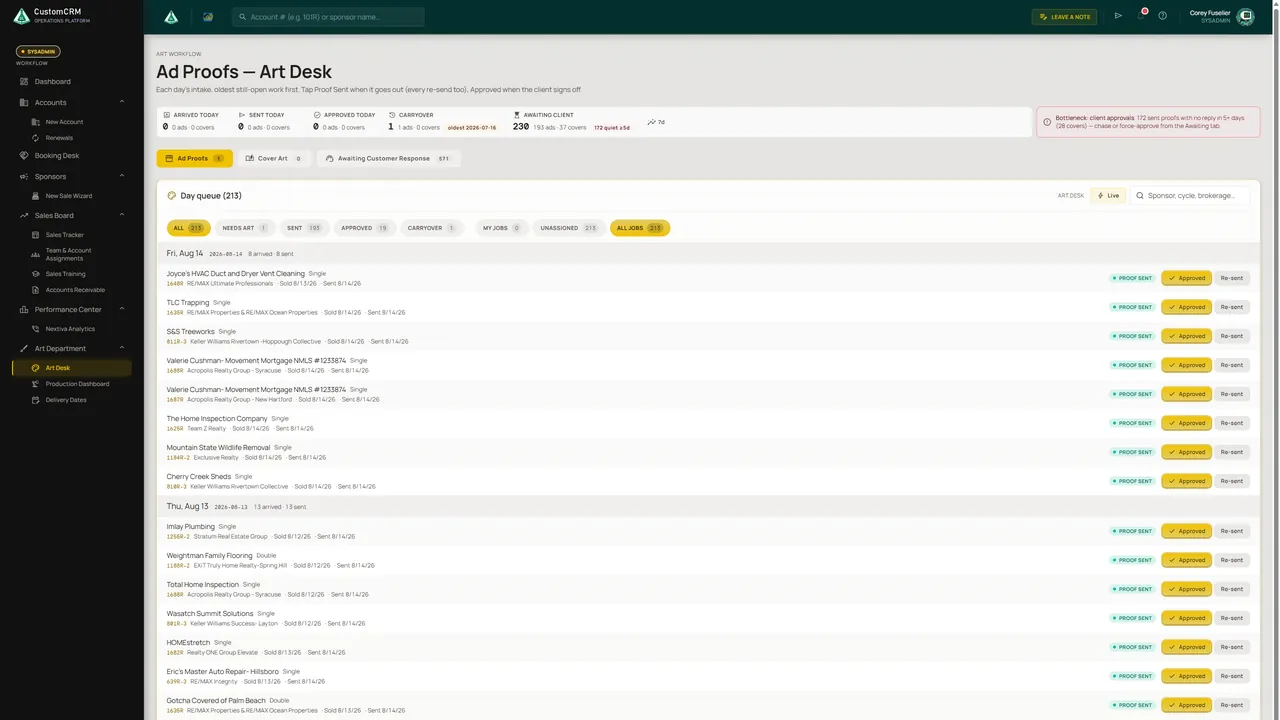
The creative queue groups every review job by day (sent, approved, re-sent) and raises an alarm when client approvals stall. Select a job and the queue stays put on the left while its detail and history slide open on the right.
Bottleneck: client approvals. 172 sent proofs with no reply in 5+ days. Chase them, or force-approve from the Awaiting tab.
Chapter 07 · Orders in fulfillment
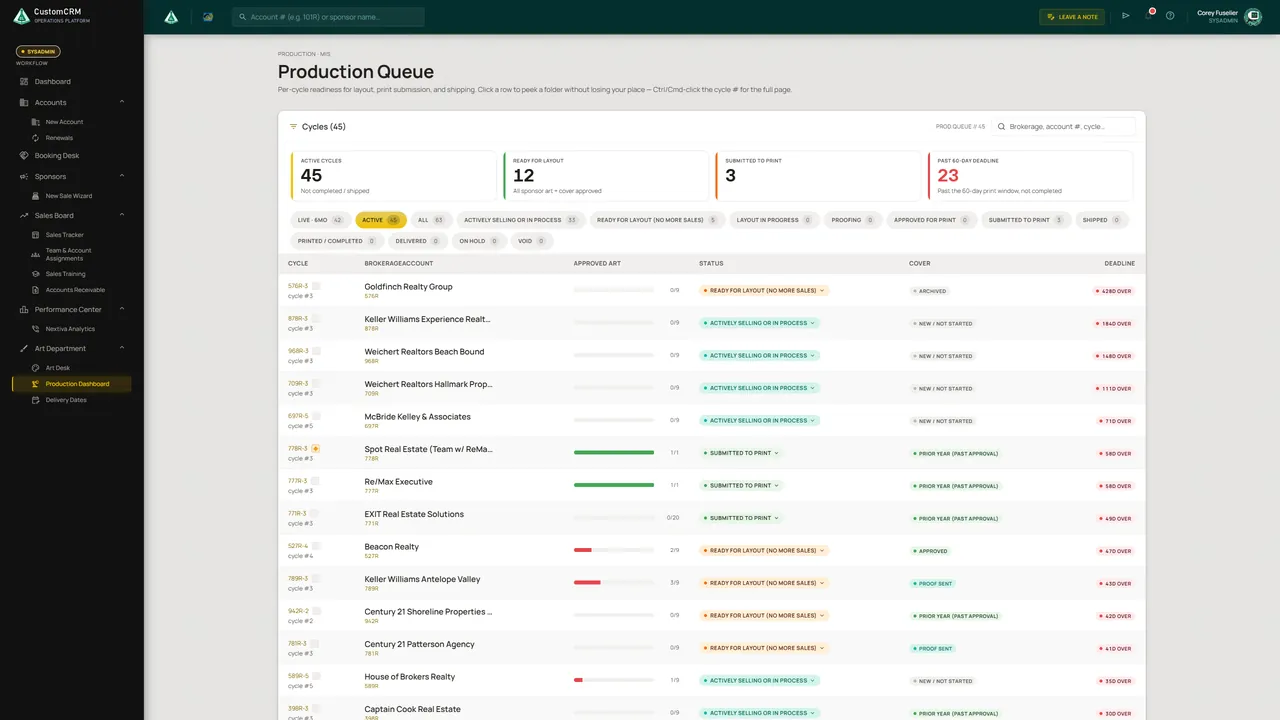
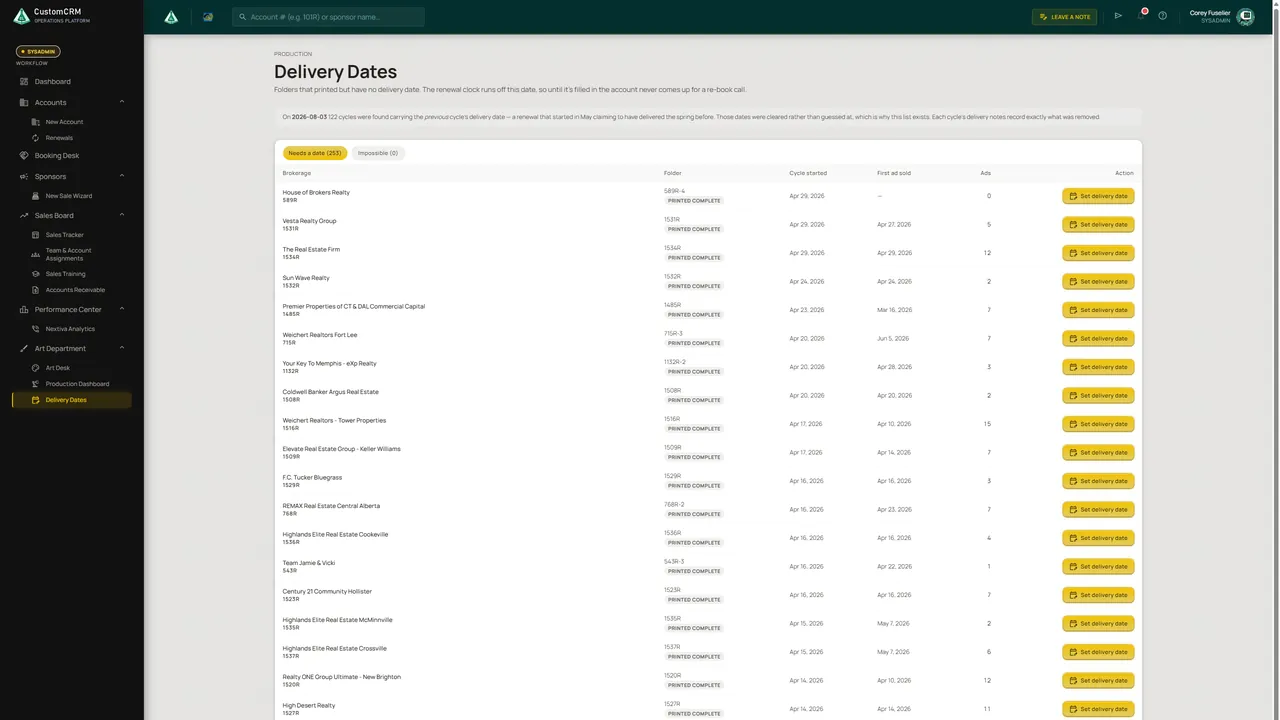
The Production Queue tracks every active order cycle toward delivery (ready for staging, submitted, shipped) and flags any that slip past target deadlines. Each cycle provides visual component readiness, logged delivery dates drive the renewal schedule, and completed work is archived for verification.
Chapter 08 · The loop closes
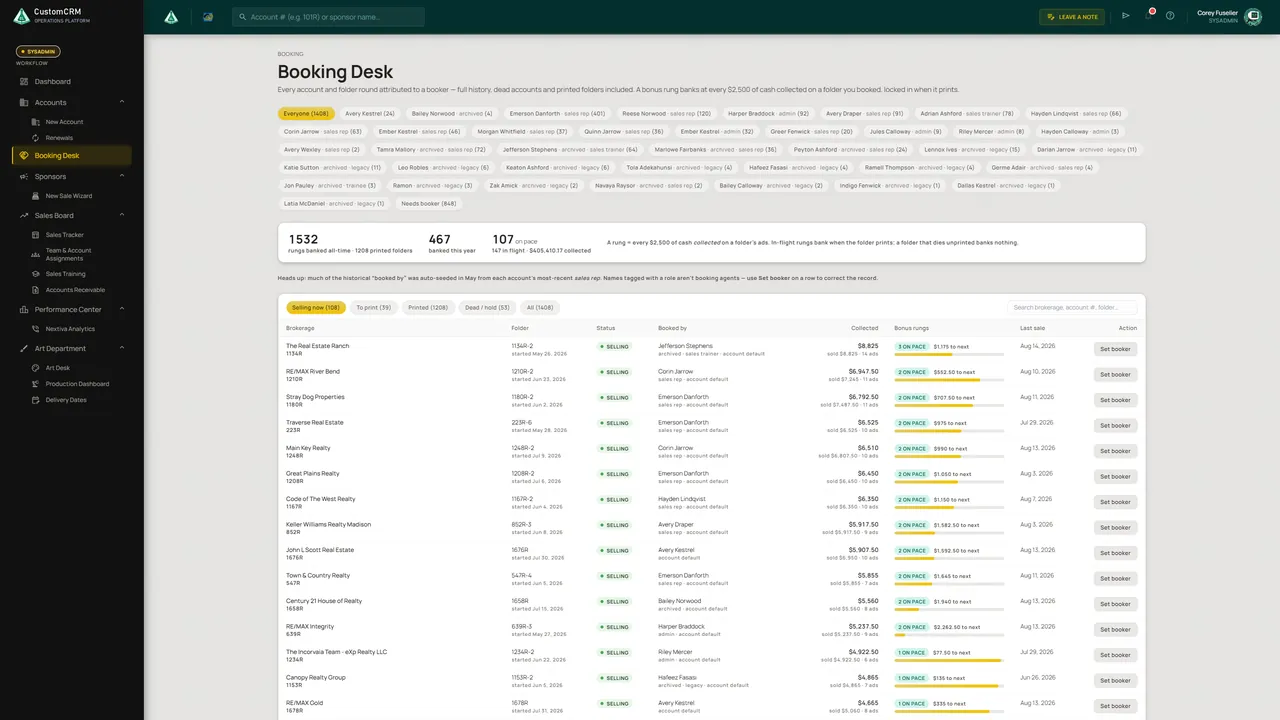
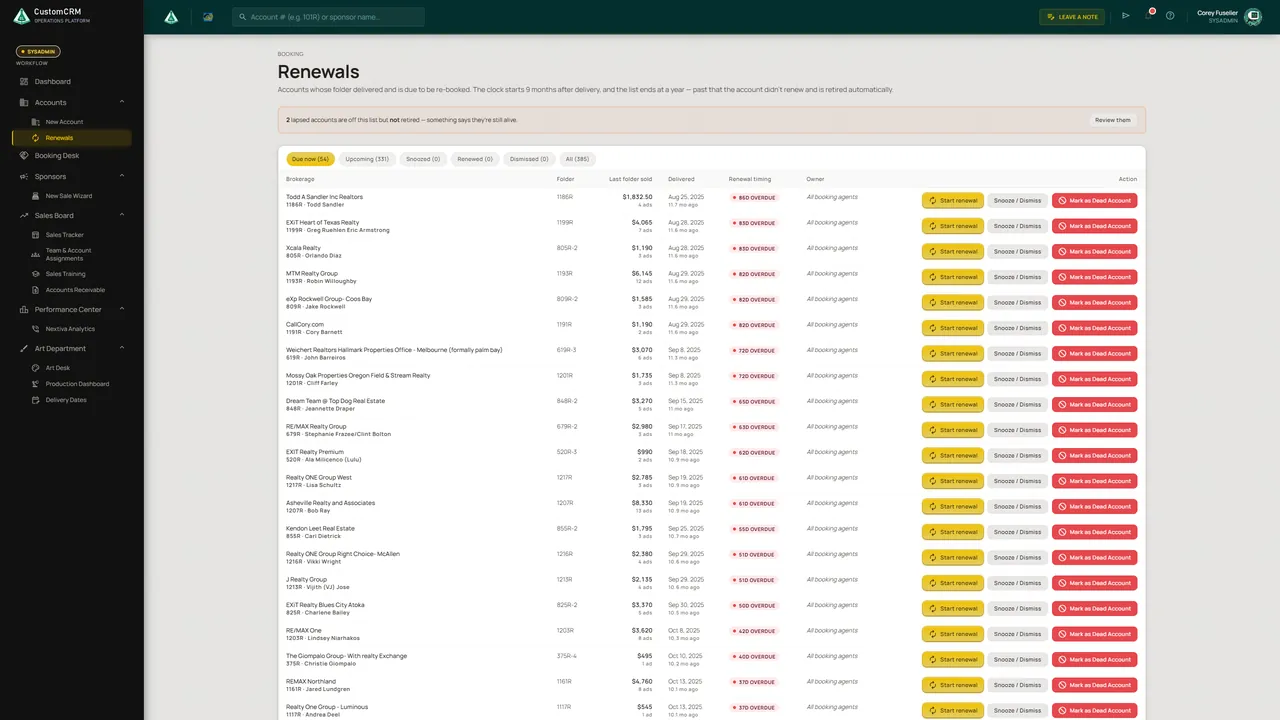
Following successful fulfillment, an automated clock begins. Renewals lists every account approaching its next cycle, the Booking Desk tracks rep attribution and milestone bonuses for collected revenue, and the Reminder Engine automates follow-ups for pending approvals.
Chapter 09 · Admin + tools
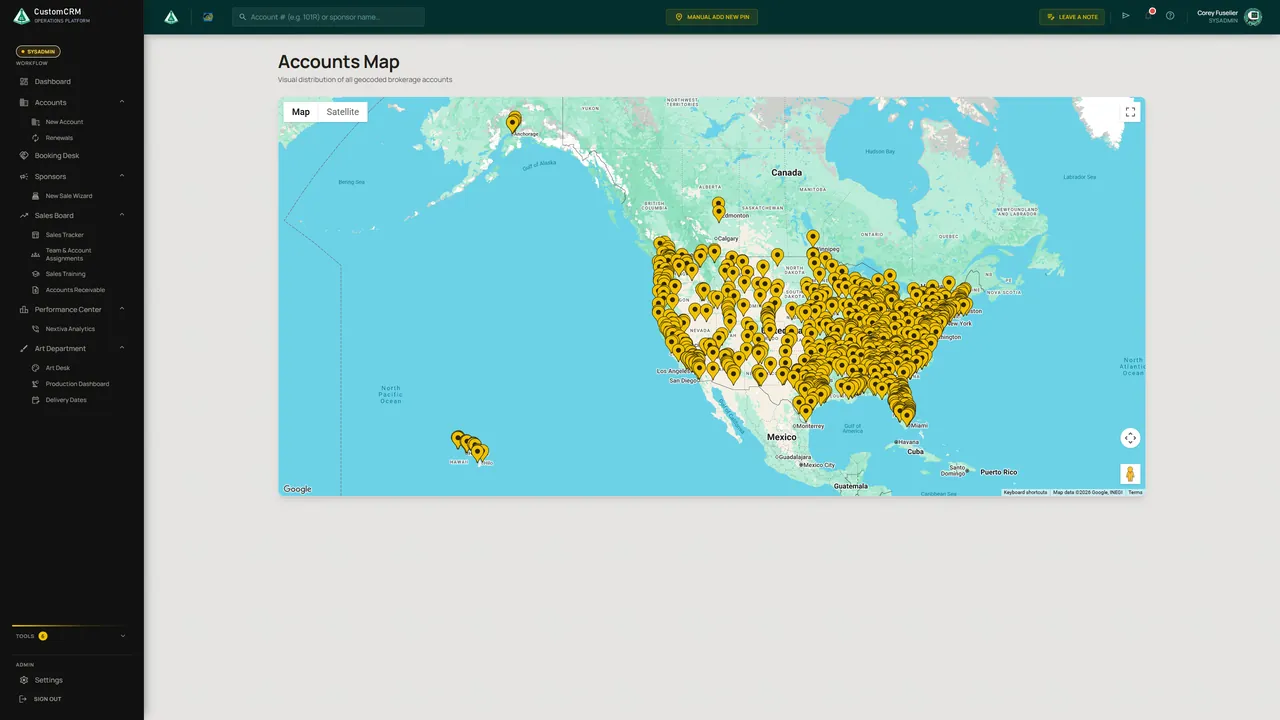
Settings opens on a live map of the CRM's five core systems and how they connect, then groups every option by what it governs. There's a full event log, per-rep dashboard controls, a view-as mode for checking what each role can reach, and a toolbox that runs from reminder ladders to an account map.
Operational cycle management
Revenue generation & tracking
Payments to the ledger
From sale to approved asset
Orders completed & delivered
Also in orbit Staff PortalPerformance CenterTraining ConsoleAccounts MapDigital Services Ops
Chapter 10 · Multi-division support, same CRM
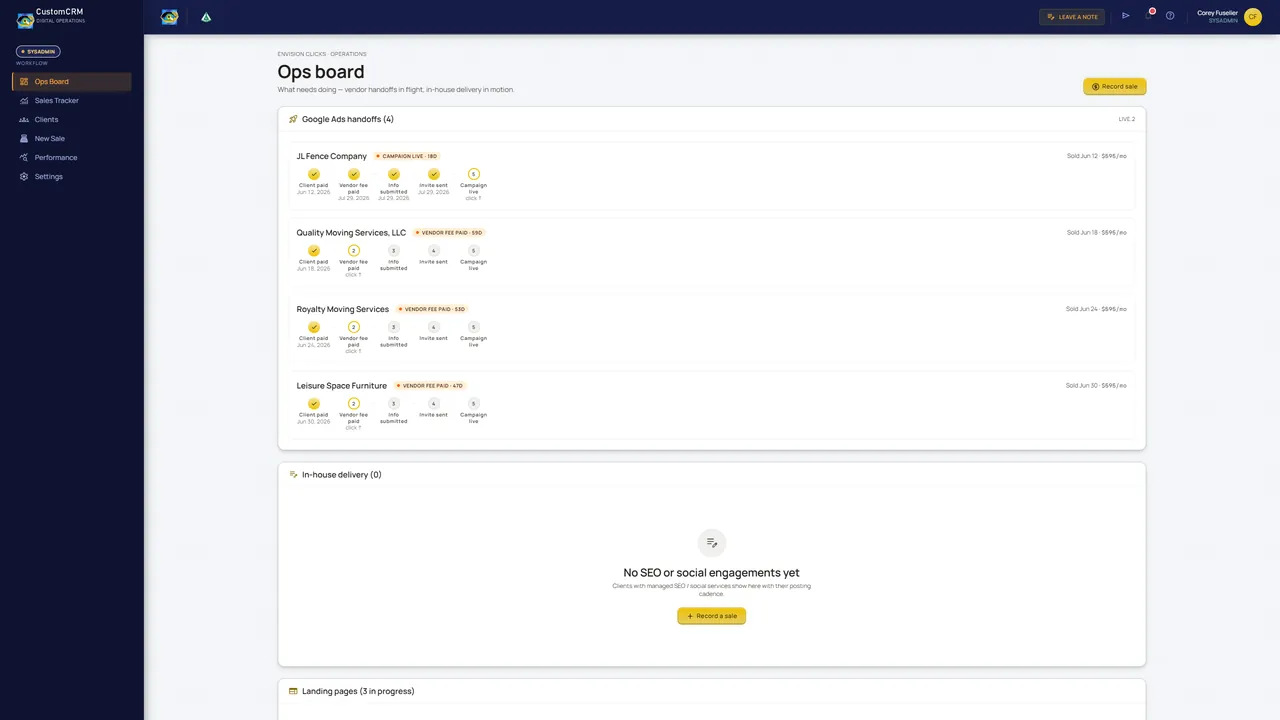
A second commercial business unit runs inside the exact same platform. Switch workspaces and the entire interface shell (top bar, sidebar, and visual theme) adapts immediately, providing dedicated operational boards, client rosters, custom sales trackers, and vendor rate management.
Chapter 11 · The customer's front door
Clients sign in with a secure access token from their confirmation email to review and approve assets, or submit self-service re-orders and requests without picking up the phone.
The full index
Every screen from the capture, grouped by area. Filter the wall, then open a screen to see the whole page at full size.
Under the hood
52
Captured from production in August 2026, with all client data sanitized and generalized.
2
Core operations and specialized business units share one unified platform with dedicated workspaces.
5
Accounts, sales, financials, creative workflow, and production fulfillment, all joined by one data model.
End of the route
CustomCRM was designed and built end to end by Chemicular Labs. If your operation lives in spreadsheets, inboxes, and sticky notes, let's map your route next.